Master sports team scheduling by creating a centralized calendar system, building in buffer time for changes, automating recurring fixtures, and establishing clear communication protocols—turning scheduling from a constant headache into a streamlined process that keeps everyone informed.
Key Takeaways
- 1. Centralize everything — One calendar source of truth for matches, training, and events
- 2. Build flexibility — Buffer time and contingency plans for inevitable changes
- 3. Automate communication — Systems that notify players without manual effort
Why Scheduling Matters
Poor scheduling causes predictable problems: missed matches and forfeits, player frustration and confusion, venue conflicts and wasted bookings, administrative burnout, and team morale problems.
Good scheduling enables the opposite: reliable attendance, better player planning, smooth match organization, reduced manager workload, and happy, informed players.
1 Your Central Calendar
Choose Your System
| System Type | Best For | Examples |
|---|---|---|
| Team management apps | Integrated solution | TeamSnap, Spond, Heja |
| Shared calendars | Simple needs | Google Calendar, Outlook |
| WhatsApp/group chat | Very casual teams | Message-based coordination |
| Dedicated platform | Finding opponents + scheduling | Team Game Finder |
For detailed app comparisons, see Best Sports Team Scheduling Apps: Comparison.
What Every Calendar Entry Needs
- Date and time (including arrival time)
- Location with full address
- Event type (match, training, social)
- Opposition (for matches)
- Contact person
- Any special requirements
2 Building Your Schedule
Season Planning
Pre-season (6-8 weeks before):
- Confirm league fixtures (dates received)
- Book regular training slots
- Plan friendly matches for gaps
- Schedule pre-season friendlies
During season:
- Add cup draws as received
- Schedule postponement catch-ups
- Arrange additional friendlies as needed
- Update for any changes
For comprehensive season planning guidance, see Building a Season Calendar: Template and Tips.
Weekly Rhythm
Establish a consistent pattern:
| Day | Activity | Notes |
|---|---|---|
| Monday | Confirm weekend availability | Deadline for responses |
| Tuesday | Training | Regular slot |
| Wednesday | Finalize team selection | Based on availability |
| Thursday | Training | Regular slot |
| Friday | Final confirmations | Kit, transport, etc. |
| Saturday/Sunday | Match day | As scheduled |
3 Managing Availability
Collecting Availability
What to ask:
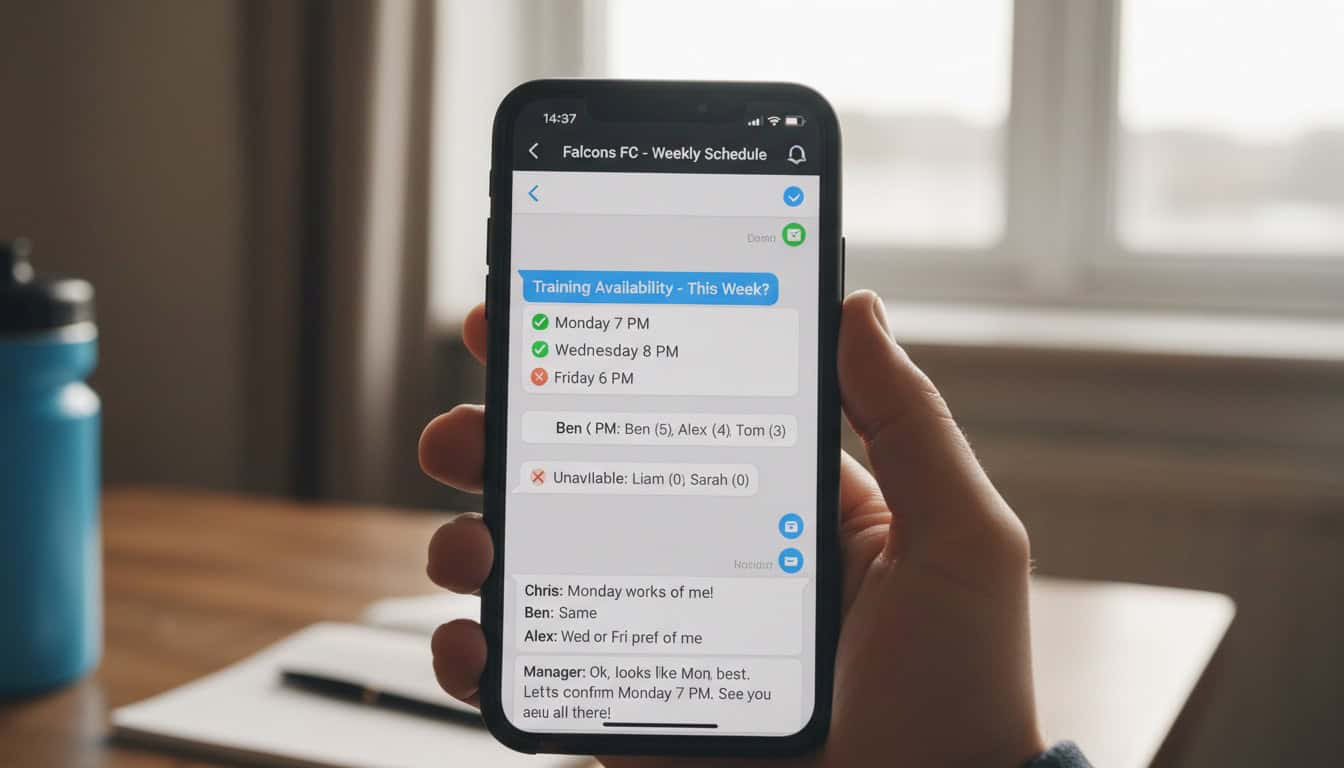
- Available / Not available / Maybe
- Reason if helpful (not required)
- By set deadline
Tools for collection:
- Team management apps (built-in)
- WhatsApp polls
- Google Forms
- Simple text response
Dealing with Responses
Set clear expectations:
- Deadline for availability submission
- Consequence of no response (treated as unavailable)
- How to update if circumstances change
Track patterns:
- Players consistently unavailable
- Weekend vs. midweek availability
- Holiday and work patterns
For detailed availability management guidance, see How to Manage Team Availability Without the Headaches.
Ready to find matches?
Join verified teams finding friendly matches in minutes, not days.
4 Automating Your Schedule
Recurring Events
Set up repeating entries for:
- Regular training sessions
- Home match slots (if fixed venue/time)
- Monthly team meetings
- Annual events (presentation night, etc.)
For implementation guidance, see Recurring Match Slots: Automate Your Weekly Schedule.
Automatic Reminders
Configure notifications:
| Timing | Purpose |
|---|---|
| 1 week before | Initial heads-up |
| 3 days before | Availability deadline |
| 1 day before | Final confirmation |
| Match day morning | Last reminder with details |
5 Handling Changes
Types of Changes
| Change Type | Typical Cause | Response Time |
|---|---|---|
| Postponement | Weather, opponent cancellation | Immediate notification |
| Venue change | Pitch unavailable | As soon as known |
| Time change | Referee/facility availability | 48+ hours notice ideal |
| Cancellation | Insufficient players | Emergency communication |
Communication Protocol
When changes happen:
- Update the central calendar immediately
- Send direct notification (do not assume people check)
- Confirm receipt from key people
- Follow up with those who have not seen
- Update any affected bookings
For detailed change management guidance, see How to Handle Last-Minute Schedule Changes and Communicating Schedule Changes to Your Team.
Common Scheduling Challenges
Too Many Fixtures
Problem: League, cups, friendlies creating congestion
Solution:
- Prioritize league fixtures
- Be selective with cup entries
- Space friendlies appropriately
- Build in recovery weekends
Learn common pitfalls to avoid in The 5 Biggest Scheduling Mistakes Teams Make.
Multi-Team Coordination
If you manage multiple squads:
Challenges:
- Fixture clashes
- Shared player pools
- Venue competition
- Communication complexity
Solutions:
- Club-wide calendar view
- Clear priority rules
- Designated venue slots per team
- Centralized coordination
For detailed multi-team guidance, see Coordinating Schedules Across Multiple Teams.
Venue Availability
Problem: Cannot get regular pitch access
Solution:
- Book well in advance
- Develop backup venue options
- Consider venue sharing with other teams
- Invest in relationships with facility managers
For comprehensive venue management guidance, see Venue Booking and Facility Management for Teams.
International Coordination
Teams coordinating across time zones face additional complexity with scheduling. This affects international clubs, touring teams, and organizations with global membership. For specialized guidance, see Time Zone Challenges for International Team Coordination.
Tools and Technology
Team Management Apps
Features to look for:
- Calendar with notifications
- Availability collection
- Team communication
- Match result tracking
- Integration options
Calendar Apps
Google Calendar advantages:
- Free and widely used
- Easy sharing
- Mobile sync
- Event reminders
Team Game Finder
Benefits for scheduling:
- Find opponents and schedule in one place
- Direct communication with other teams
- Mutual confirmation of fixtures
- Integrated availability checking
How This Relates to Team Management
Scheduling connects to your broader team management approach:
- Team Manager Responsibilities — Scheduling as a core management duty
- Managing Player Availability — Getting players to scheduled matches
- Organizing Friendly Matches — Scheduling opponent fixtures
- Finding Opponents — Discovering teams to schedule against
Frequently Asked Questions
How far ahead should I schedule sports team fixtures?
Plan the full season for league fixtures. Schedule friendlies 2-4 weeks ahead. Have training locked in for at least a month. The more advance notice, the better attendance.
What is the best way to communicate schedule changes to a sports team?
Use multiple channels simultaneously—update the calendar, send a group message, and contact key individuals directly. Do not assume one notification reaches everyone.
How do I handle players who never confirm availability?
Set clear expectations that no response means unavailable. If it continues, have a direct conversation about commitment levels.
Should I schedule training on match weeks?
Generally yes, but consider reducing intensity before important matches. Maintain consistency in your weekly schedule.
How many fixtures per month is sustainable for amateur teams?
Depends on squad depth and player preferences. 6-8 matches per month maximum for most amateur teams. Include rest weekends.
What if two matches get scheduled for the same date?
Prioritize league fixtures over friendlies. For equal priority, decide based on ability to reschedule, opposition importance, and player availability.
How do I manage postponements without losing track?
Maintain a "to be rescheduled" list. Proactively contact opponents to arrange new dates. Do not let them pile up.
Should players be able to book their own unavailability?
Yes—self-service availability marking reduces admin burden. Set clear guidelines about when changes can be made.
What is the ideal gap between matches for amateur players?
At least 3 days for full recovery. 5-7 days is ideal for amateur players with work commitments.
Which team scheduling apps are best for amateur sports teams?
Popular options include TeamSnap, Spond, and Heja for integrated team management, or Google Calendar for simpler needs. Team Game Finder combines opponent finding with scheduling.
Ready to find your next match?
Join verified teams finding opponents in minutes.
Create your free accountNo credit card required